
How to deliver photos to clients without undoing the work you just did.
There's a stubborn belief that delivery is the boring last step: edits done, so you paste a link and forget it. Wrong. Delivery is the final thing a client actually experiences from you, and it's the part they screenshot, forward to family, and remember when someone asks who to hire. The short version: put the finished, full-resolution files in a password-protected online gallery built for photos, let the client download the set and favorite their picks, and send one clean link with a clear note about what's included and when prints ship. Everything below is how to do that without leaking quality, looking amateur, or spending your whole evening babysitting a file transfer.
- Cull before you deliver. Clients don't want 1,400 near-identical frames, they want the keepers. A typical portrait session lands somewhere around 40 to 80 finished images, a wedding a few hundred. Deliver the edited set, not the contact sheet.
- Export at the right resolution. Give clients full-resolution JPEGs for prints, and optionally a separate web-sized set (roughly 2048px on the long edge) for social. sRGB color space, quality 90 or higher. Skip RAW files unless a commercial contract specifically calls for them.
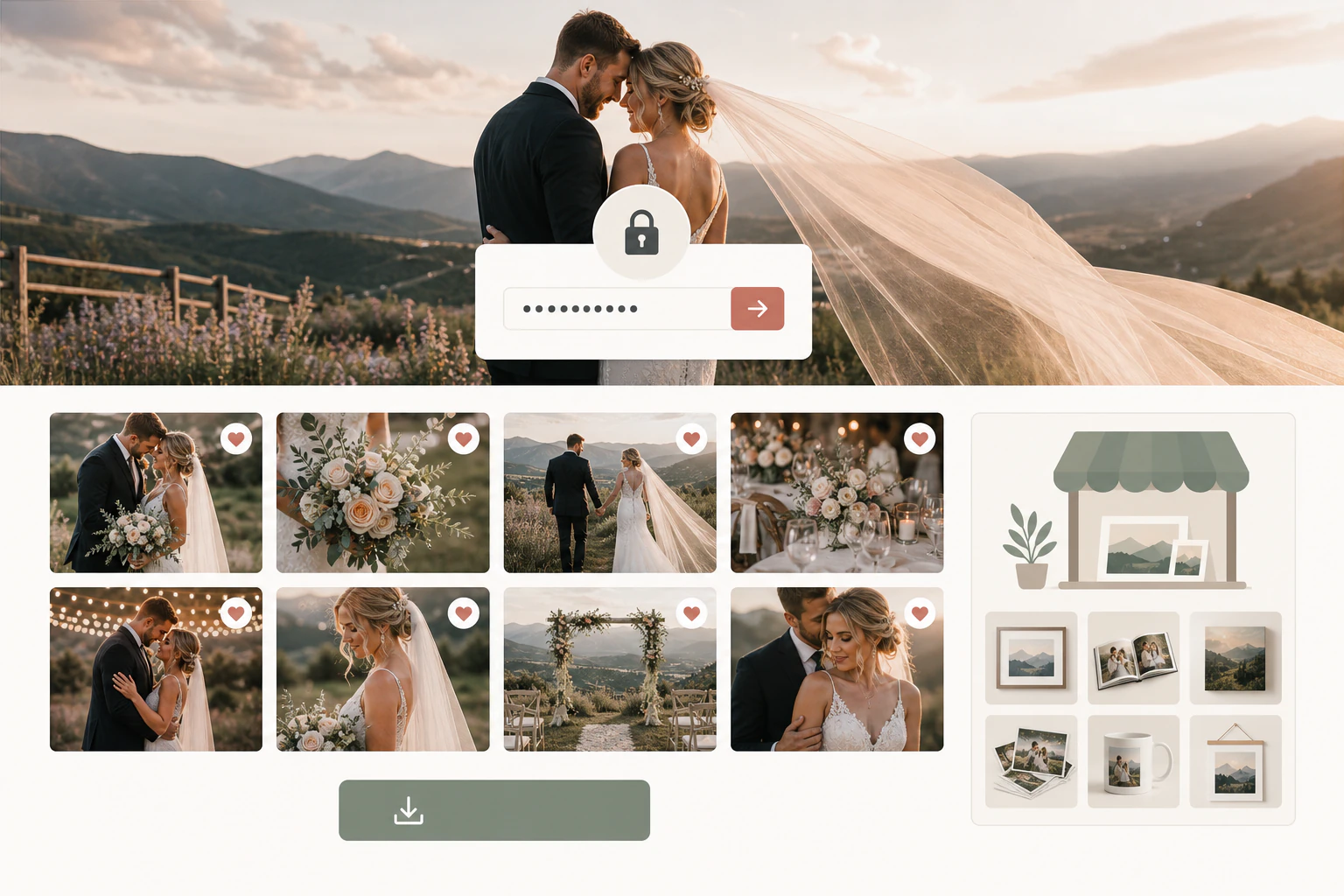
- Use a gallery, not a folder. A dedicated client gallery shows your work full-bleed and lets people view, favorite, and download. A shared Drive folder shows your photos as document thumbnails in a filing cabinet.
- Lock it with a password. One password per gallery keeps a private family shoot private and signals that you take their images seriously.
- Set download permissions on purpose. Decide up front whether high-res downloads are included, sold separately, or gated until final payment clears. Turn on what you promised in the contract, nothing more.
- Send one link, with context. No ten-attachment email, no ZIP. A single link, the password, what's included, how long the gallery stays live, and when any ordered prints arrive.
High-resolution or web-sized: give them both, and say which is which.
The most common delivery question isn't which platform, it's what files to hand over. Clients almost always want prints eventually, even the ones who swear they only post to Instagram, so full-resolution JPEGs are the baseline. A full-res file at 300 DPI prints cleanly up to a large wall size; a web-sized copy of that same image loads fast and won't get pixelated when someone crops it for a profile photo. Deliver both in clearly labeled sets and you kill two support emails before they're sent: the one asking why the print came back blurry, and the one asking why the files are too big to text.
Format-wise, JPEG at high quality is the honest default. It's universal, every phone and lab reads it, and the quality drop from a well-exported JPEG is invisible in a print. TIFF or PNG only matter for specific commercial or design handoffs, and if a client needs those, they'll have told you in the contract. What you should never do is deliver photos as email attachments. The files are usually too big to send, email silently compresses them, and it reads as amateur the second it lands.
Delivery is the last impression, not the afterthought. Get it right and the client books you again before they've finished downloading.
Why the Google Drive link quietly costs you money.
General cloud storage handles big files fine, so plenty of photographers just drop a Drive or Dropbox folder and call it delivered. It works, technically. But your photos show up as a grid of gray document tiles in an interface built for spreadsheets, with no branding, no way for the client to mark favorites, and no path to order a print without you manually quoting, invoicing, and chasing payment. You've turned the most exciting moment of the whole transaction, seeing the photos, into a chore that looks like sharing a tax return.
The ZIP file is the same trap wearing a different hat. A client on their phone taps your ZIP, gets an error or a folder they can't open, and messages you at 9pm asking how to see their pictures. Every one of those friction points is a review you didn't get and a print sale that didn't happen. The fix isn't more effort, it's a tool that makes the gallery the product.
A real gallery, not a folder
Full-bleed, responsive, mobile-first. The photos fill the screen instead of sitting in a spreadsheet grid. This is the whole point, and it's where cheap methods fall down.
Password protection
A private gallery per client keeps sensitive shoots private and stops the whole internet from stumbling onto a family's photos. Standard, expected, non-negotiable.
Favorites and proofing
Let clients star their picks in the gallery instead of emailing you "we like numbers 4, 12, and the one by the window." Their shortlist becomes your print order or album layout.
Controlled downloads
Turn high-res downloads on, gate them behind payment, or sell them individually. You decide per gallery, and it matches what you sold instead of leaking the whole set for free.
Print and upsell built in
A print store inside the gallery turns "these are gorgeous" into an actual order while the client is still emotional about the photos, no separate quote, no chasing.
Your brand on the link
Your name and colors on the gallery, ideally on your own domain, so the delivery looks like your studio and not a generic platform with your name tacked on the side.
Every way to send photos, honestly ranked.
Not every shoot needs a full gallery platform. A single headshot for a corporate client can go out on a plain transfer link and nobody cares. But for anything a client is emotionally attached to, or anything you'd like to sell prints from, the method you pick is the difference between a one-time transaction and a repeat booking.
| Method | Good for | The catch |
|---|---|---|
| Email attachment | Never, really | Files too big, silent compression, looks amateur. Skip it. |
| USB or flash drive | A premium physical keepsake add-on | Easily lost, nothing to plug into on a modern laptop, no backup if it dies. |
| WeTransfer / transfer link | A quick one-off commercial handoff | Link expires, no gallery, no favorites, no sales, no branding. |
| Google Drive / Dropbox | Raw file archival, working with an editor | Photos look like documents, no proofing, no print path, no brand. |
| Dedicated client gallery | Portrait, wedding, family, event delivery | Costs money, and free tiers cap storage. Worth it the moment you want repeat clients. |
Where an all-in-one platform earns its keep
Once you've decided delivery matters, the honest question is which gallery tool. The incumbents, Pixieset and ShootProof among them, have years of gallery and print-lab depth, and if you already run your whole studio inside one of them, there's no reason to move for delivery alone. That's a genuine strength, and I'd tell you to stay put.
Where a platform like PicurPhoto fits is when delivery isn't the only friction you're tired of. It bundles the client gallery with the booking page and the payment in one link, so the same tool that let the client self-book and pay a deposit also delivers the finished photos and sells them prints. Payments run through your own Stripe account, which means payouts, refunds, and fees stay under your control instead of routing through a middleman. There's a genuine Free Forever plan you can start a real booking-and-gallery setup on, though it's honestly capped: 1GB of storage and up to 10 live galleries, which a busy studio will outgrow fast. PicurPhoto never takes a cut of your bookings, it's a flat subscription with no commission, and the custom-domain booking page with white-label branding lives on the $19 per month Pro plan. The point isn't that it's the only gallery in town, it's that if you're stitching a booking tool, a payment link, and a gallery host together, one link that does all three removes a lot of the mess.
How fast to deliver, and how to buy yourself room.
Turnaround is a promise, not a vibe, so put it in the contract and then beat it. Reasonable ranges most photographers work to: a few days to two weeks for portraits and family sessions, four to eight weeks for a wedding, and 24 to 72 hours for a sneak-peek of a handful of images to keep the client happy while the full edit cooks. The sneak-peek is the cheapest goodwill you'll ever buy. Whatever number you commit to, pad it. Under-promise, deliver early, and the client tells three people how organized you were. Over-promise, run late, and delivery becomes an apology instead of a finale.
What is the best way to deliver photos to clients?
A password-protected online gallery built for photographers. It shows your work full-screen, lets clients favorite and download the images you've cleared, and gives them a path to order prints. It beats email, USB, and generic cloud folders on quality, professionalism, and your ability to actually sell from the set.
Should I give clients high-resolution or web-sized photos?
Both, in clearly labeled sets. Full-resolution JPEGs so prints come out sharp, and an optional web-sized version (around 2048px on the long edge) for fast social sharing. Delivering both heads off the two most common complaints: blurry prints and files too big to text.
What file format should I deliver photos in?
High-quality JPEG in sRGB is the right default for almost every client. It's universal and prints beautifully. Only deliver RAW, TIFF, or PNG when a commercial contract specifically requires it, and if it does, the client will have already told you.
How long should it take to deliver photos to a client?
Set it in the contract, then beat it. Common ranges are a few days to two weeks for portraits, four to eight weeks for weddings, and a 24 to 72 hour sneak-peek of a few images to tide the client over. Pad your estimate and deliver early rather than apologize late.
Is it okay to deliver photos through Google Drive or Dropbox?
It works for raw archival or handing files to an editor, but it's a weak client experience. Your photos display as document thumbnails with no branding, no favorites, and no way to order prints. For anything a client is emotionally invested in, a real gallery pays for itself.
How do I stop clients from stealing or misusing my photos?
Password-protect each gallery, decide deliberately whether high-res downloads are included or gated behind final payment, and use watermarks or disabled right-click on preview galleries when you're selling downloads separately. Set expectations in writing about how the images can be used.
Deliver photos your clients actually want to open.
Set up a free booking page with client galleries and see if one link for booking, payment, and delivery fits how you work.